EfficioPart of the DigiFacto platformProduction & OEE · MES
Efficio · Production & OEE · MES

OEE monitoring software that shows every loss, live

Efficio captures run, stop and count from every machine, asks the operator why it stopped, and turns it into live OEE, target versus actual and a loss Pareto for every shift.

Efficio machine summary dashboard showing OEE, availability, performance and quality gauges
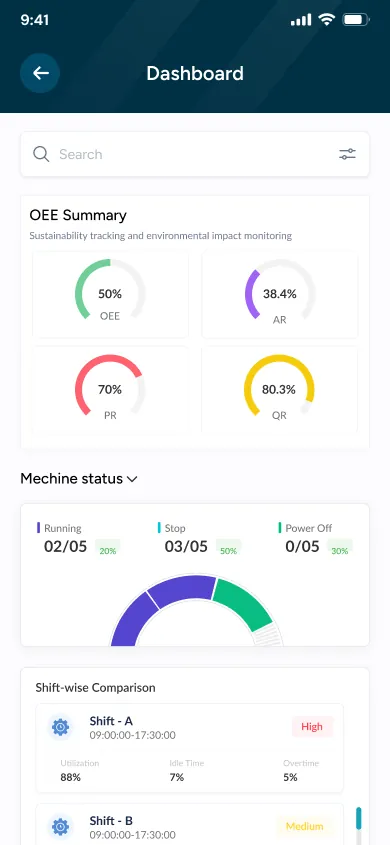
DigiTrack mobile app showing OEE summary and machine status
Plant OEE · live78.5%
Shift A · target 85%
+15–25%OEE improvement in typical deploymentsIndicative range
−12%downtime once late starts and early stops were visible
75machines connected, from a first rollout of 25
100%paperless drawings at every machine
How Efficio works

From a machine signal to a closed action

Every stop is captured at the machine, explained by the operator and turned into OEE and loss in rupees, live.

  1. Machine signalRun, stop and part count
  2. Reason codedTwo taps on DigiTrack
  3. Live OEELoss in ₹, every few seconds
  4. Action trackedOwner and due date
Live plant view

Every machine, every shift, on one screen

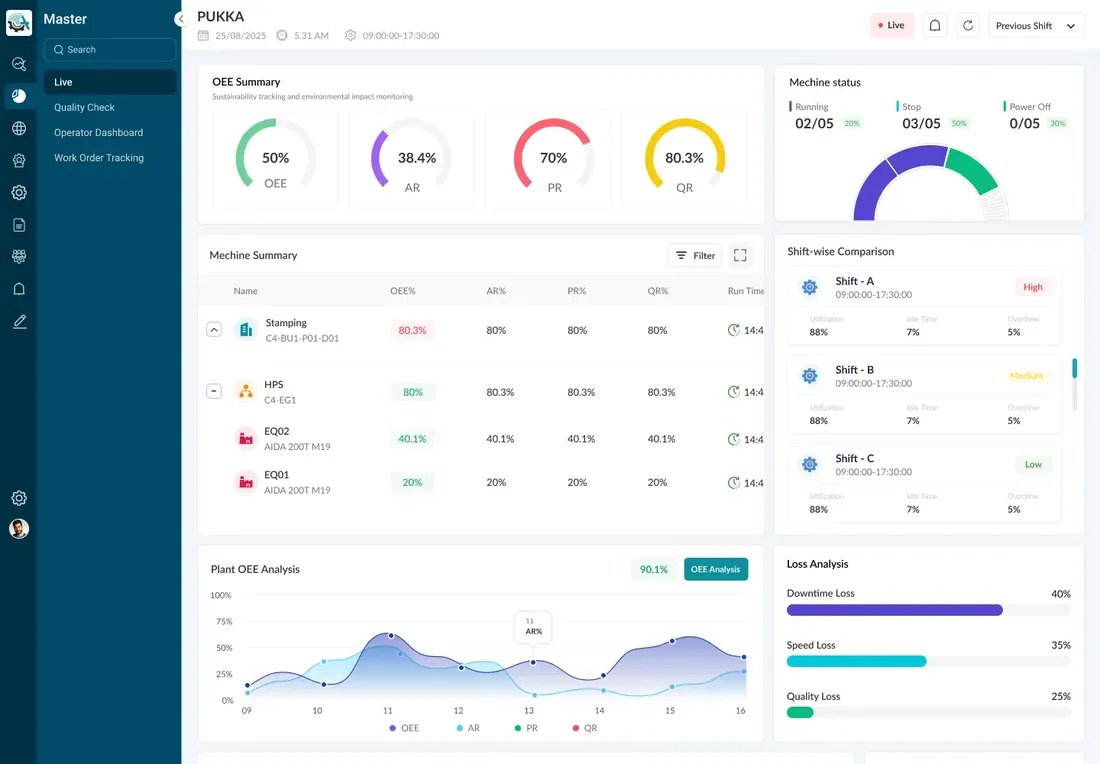
OEE gauges, machine status, hour-wise target versus actual and the top losses, refreshed every few seconds on the web, on tablets and on shop-floor TVs.

  • Availability, performance and quality per machine, line and shift
  • Hourly target vs actual, with an alert the moment a line falls behind
  • Operator performance: shift KPIs, monthly trend and rank
Efficio plant dashboard with OEE gauges, machine status, shift comparison and OEE trend
Plant to boardroom

From one line to a 22-plant group

OEE rolls up from machine to line, plant, division and company. Plant heads see their floor; leadership sees every plant side by side.

  • Company, division and plant hierarchy with live roll-up
  • Running and stopped machine counts per plant
  • Downtime Pareto and rejection analysis at every level
Efficio multi-plant view with OEE rolled up by company, division and plant
Any machine, any age

Old presses and new CNCs in the same view

Modern machines connect over FOCAS, OPC UA, Modbus or PROFINET. Machines without a PLC get an Ausweg I/O retrofit for run status and part count. No OEM access needed.

  • CNC, VMC, press, injection moulding, welding and assembly
  • Gateway buffers 17,000 records during network outages
  • Cloud, on-premise or hybrid deployment
How the retrofit works
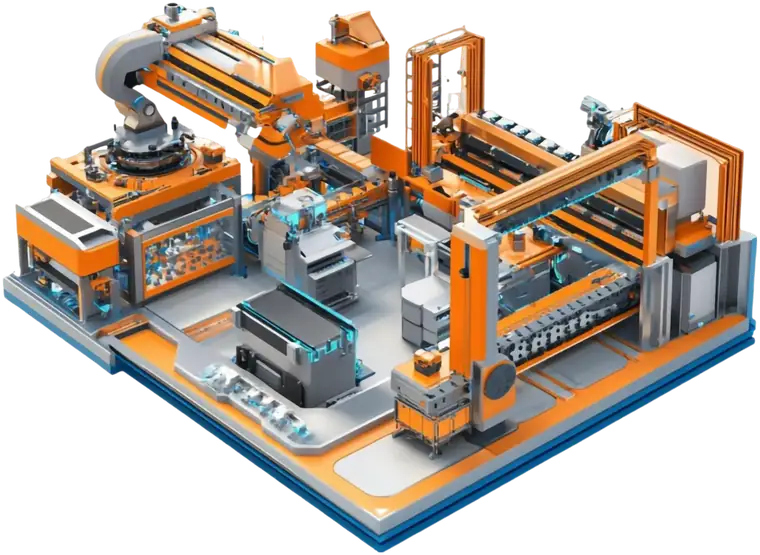
Illustration of a connected smart factory with machines, conveyors and robots
Management views

From the shop floor to the management review

The same live machine data, summarised for plant heads and leadership. On laptops, shop-floor TVs and phones.

Executive insights

The week's story, written from machine data

An AI plant summary says what happened, why, what it cost and what to do next. Each improvement action carries an owner, a due date and its monthly value in rupees.

  • Plant health score, OEE, FPY, on-time delivery and capacity loss in ₹
  • Open actions tracked to closure from the review meeting
  • Production, downtime, quality, maintenance, energy and delivery in one menu
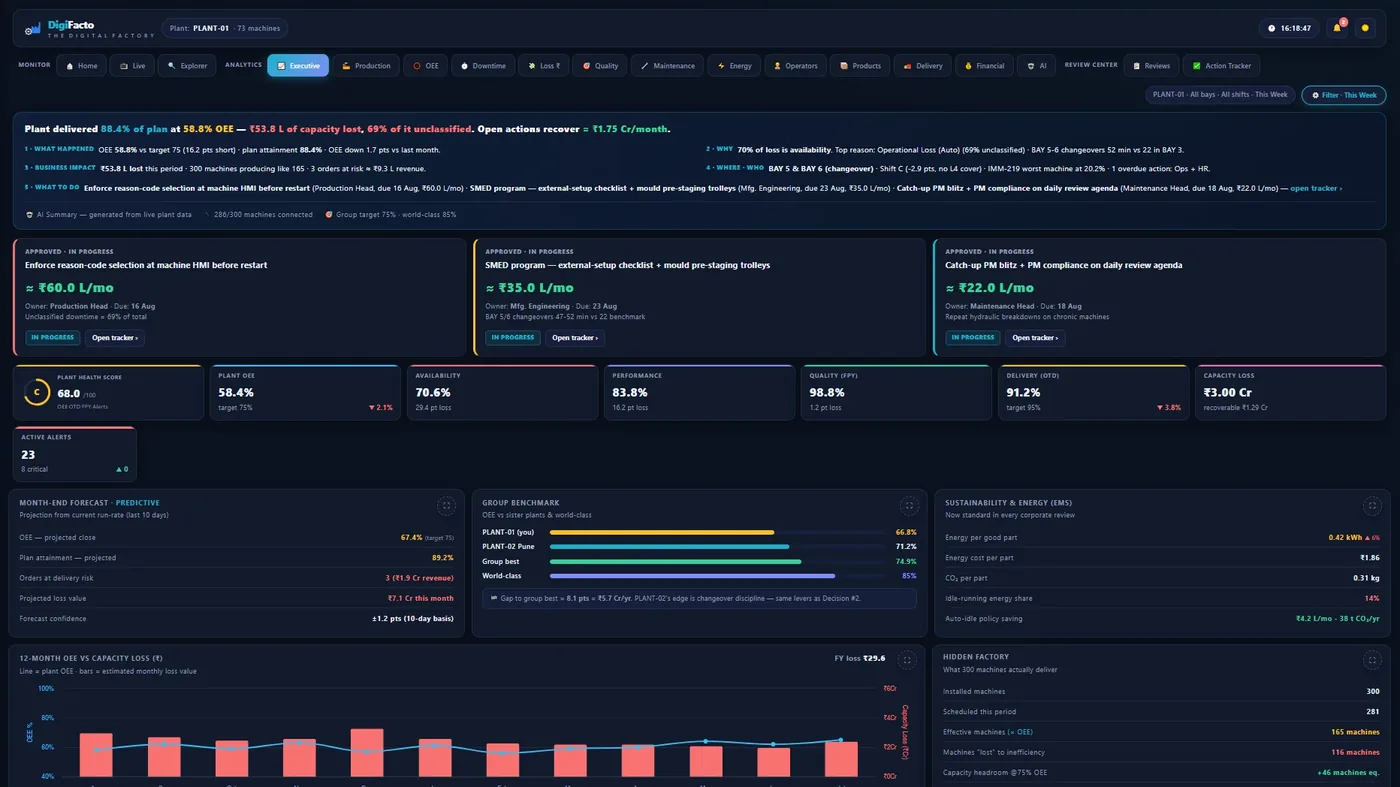
Efficio executive dashboard on a laptop: AI plant summary, improvement actions with owners and value, plant KPIs, forecast and benchmark
DigiTrack mobile app with OEE summary and machine status
View the executive screen full size ↗
Plant floor view

The whole plant on the shop-floor TV

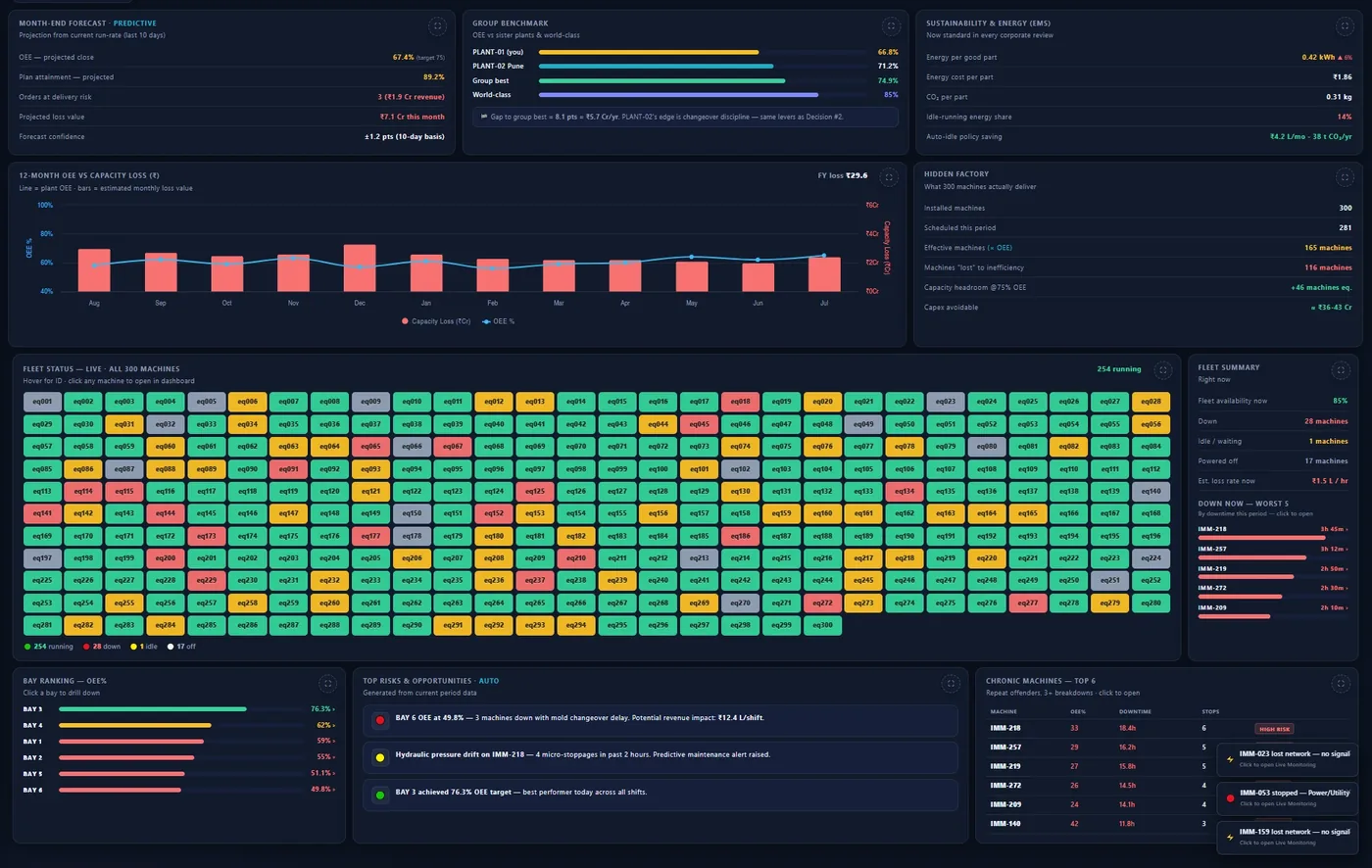
Every machine is a tile coloured running, down, idle or off, beside the forecast, the loss trend and the bays that need help. The worst stoppages sit at the top, so the next person to call is obvious.

  • Running, down, idle and powered-off counts, live
  • Longest stoppages first, with the loss rate per hour
  • Click any machine to open its own dashboard
Efficio plant floor view on a shop-floor TV: month-end forecast, group benchmark, energy per part, 12-month OEE and loss trend, live status of all 300 machines, bay ranking and chronic machines
View the plant floor screen full size ↗

Demo plant data.

DigiTrack operator app OEE summary screen
DigiTrack operator app

The paperless shop floor, in the operator's hand

DigiTrack runs on a tablet or phone at the machine. It replaces job cards, log sheets and the end-of-shift report.

  1. Log in

    QR, RFID or face login at the machine.

  2. Start the job

    Job, SOP and drawing on screen.

  3. Code the stop

    Pick the downtime reason in two taps.

  4. Close the shift

    Rejections and shift KPIs, no paperwork.

Plant performance on your phone with the DigiFacto app:

Customer proof

Running in medical devices, metal forming, FMCG and more

  • Medical devices
  • Metal forming
  • Engineering
  • FMCG

Ausweg successfully integrated 25 machines, including CNC lathe machines. To date, we have implemented OEE licences for a total of 75 machines.

Medical-device manufacturerManufacturing team
Read the case study
Efficio

FAQ

Still unsure? Ask an engineer.

How is OEE calculated in Efficio?

OEE is availability × performance × quality. Efficio takes run and stop signals and part counts from the machine, planned time from the shift calendar, ideal cycle time from the part master and rejections from the operator, and recalculates all three factors every few seconds.

Who enters downtime reasons?

The operator, on the DigiTrack tablet at the machine. When a machine stops, DigiTrack asks for a reason from your own reason list, so losses are coded at the source rather than guessed at the end of the shift.

Can Efficio work on machines without a PLC?

Yes. An Ausweg I/O node reads run status and part count from wired signals and sends them through a 4G or Ethernet gateway. The gateway buffers 17,000 records so no data is lost during a network outage.

Can we see several plants in one view?

Yes. Efficio rolls OEE up from machine to line, plant, division and company, which is how one tube and cycle manufacturer follows 22 plants in one dashboard.

What OEE improvement is realistic?

Typical deployments improve OEE by 15 to 25 percent, mostly by exposing hidden stoppages, slow cycles and late starts. The first gains usually appear within the 30-day pilot.

Does Efficio connect to our ERP?

Yes. Efficio pulls production orders, route cards and BOMs from SAP, Oracle, Tally, Odoo or a custom ERP over a REST API, and posts production confirmations back automatically when a route closes.

Can Efficio show OEE on shop-floor TVs?

Yes. Andon boards show live machine status and OEE on shop-floor TVs, the same data is on web dashboards and tablets, and escalation goes out by SMS, email and push when a line falls behind.

How quickly can we start with Efficio?

A 30-day pilot on 2 to 5 machines gives you real OEE and a loss Pareto. A plant-wide rollout with operator training typically takes 8 to 12 weeks.

The DigiFacto suite

Works even better together

All four products share one platform, one login and the same machine data. Add the next one any time.

Get a free plant study and a personalised solution plan

Our engineers visit your plant, study your machines and goals, and recommend the right mix of automation, robotics and Industry X.0, with an estimated return.